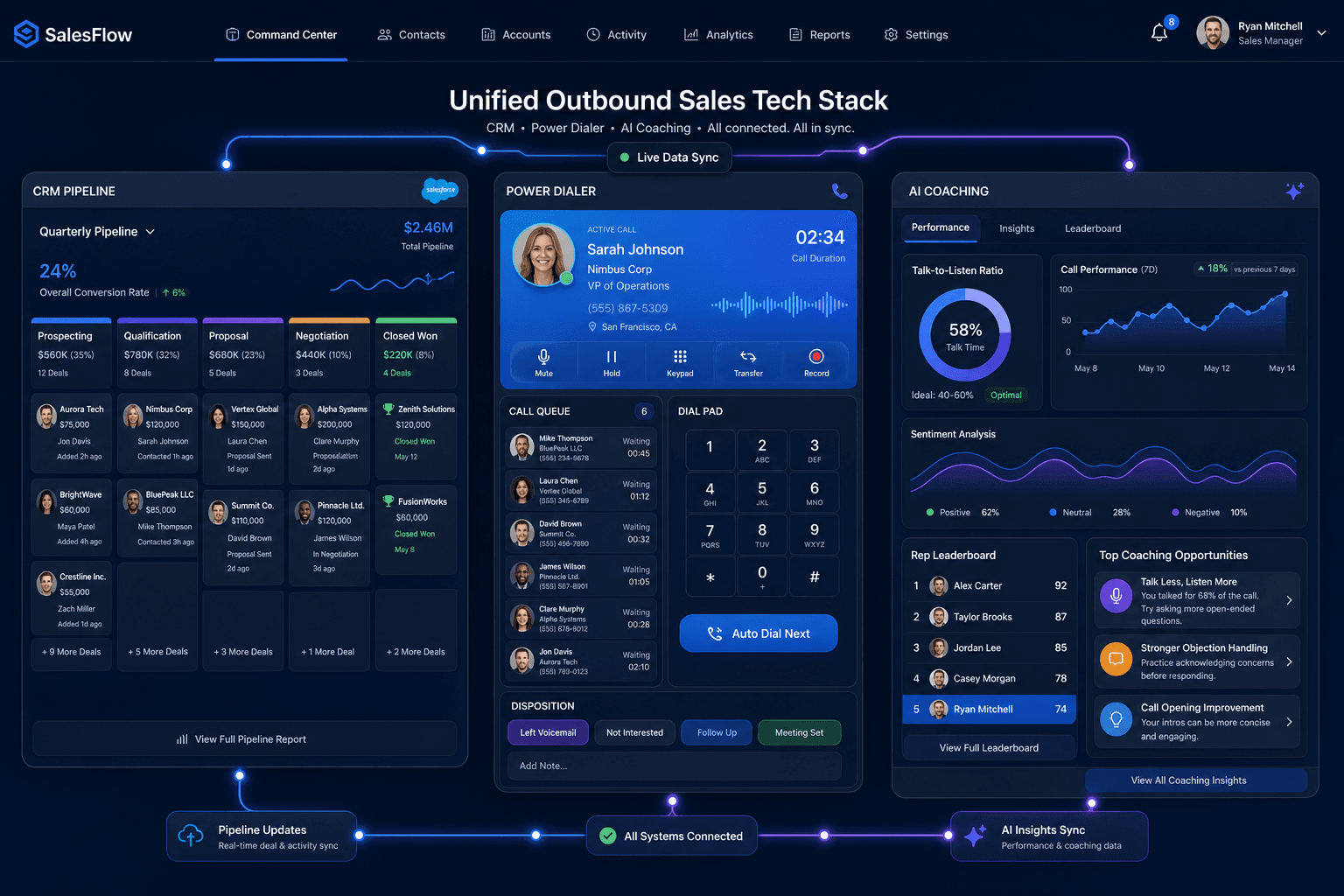
The No-BS Guide to a Sales Tech Stack in 2026: What You Actually Need
If you’re building a sales motion in 2026, it’s easy to feel like you “need” 30 different tools before you can even send your first outbound email. In reality, most teams overspend on software...
If you’re building a sales motion in 2026, it’s easy to feel like you “need” 30 different tools before you can even send your first outbound email. In reality, most teams overspend on software, underuse what they buy, and still don’t have a sales tech stack that works together.
This guide pulls everything into one place: what a sales tech stack is, the layers that matter, the sales tools you actually need to get started, how much you should expect to pay, and how to scale without creating a bloated mess.
What Is a Sales Tech Stack, Really?
A sales tech stack (or simply sales stack) is the set of software tools your team uses to find leads, run outreach, manage deals, and report on revenue.
Typical categories include:
- CRM – your system of record for contacts, accounts, and deals.
- Sales engagement / email + dialer – sequences, call automation, and multi‑touch outreach.
- Data & enrichment – tools that find and verify contact data.
- Conversation intelligence & call recording – for coaching and deal reviews.
- Sales analytics tools & forecasting – dashboards and pipeline insights.
The best stacks are built around outcomes, not tool count: they help reps have more quality conversations and close more deals with less admin, instead of looking impressive on a slide.
How Many Tools Do Teams Actually Use (and What Does It Cost)?
Real numbers from recent analyses show:
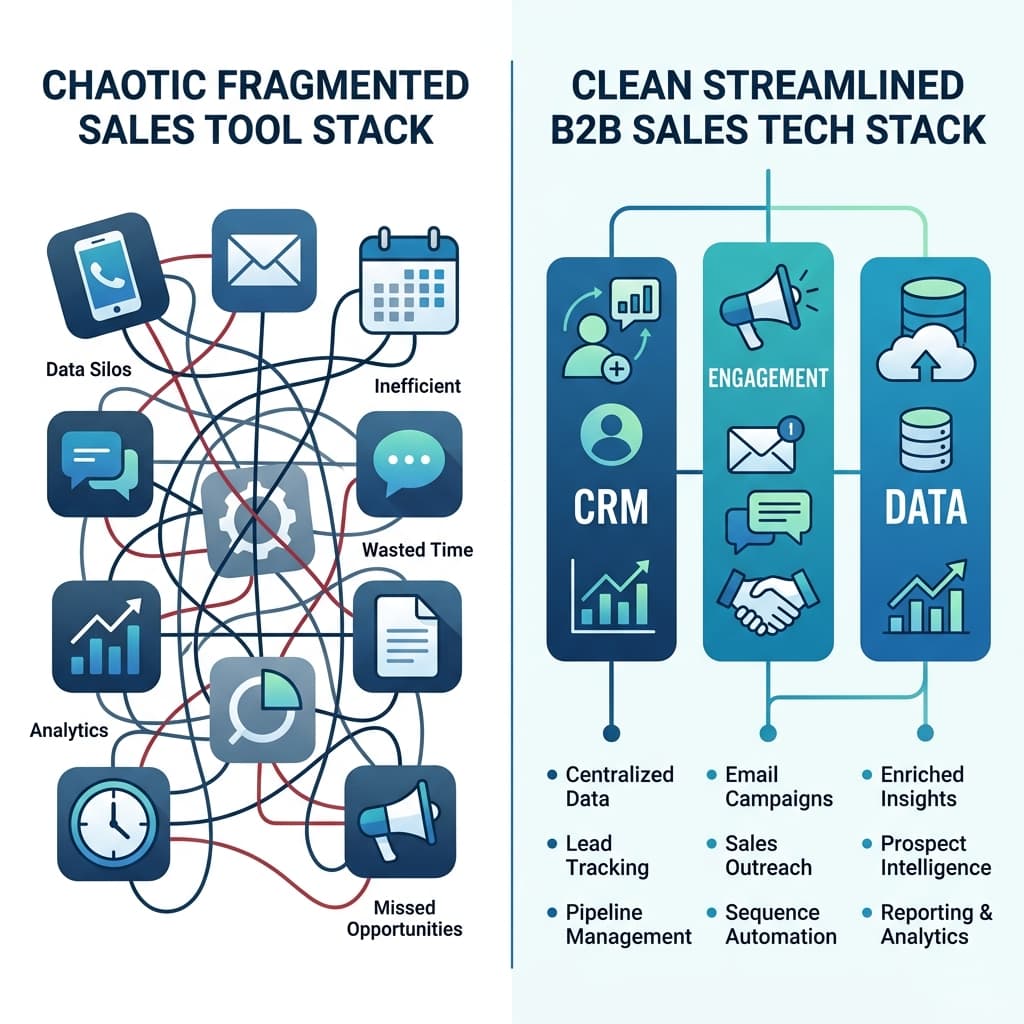
- SDRs often juggle 6+ tools a day (CRM, engagement, data, scheduling, dialer, chat, etc.).
- Across companies, the average sales tool stack runs ~8 tools, costing around $187 per rep per month, and most teams waste thousands per rep per year on overlapping tools they barely use.
A fragmented SMB stack pieced together from separate CRM, email marketing, outreach, enrichment, and automation tools can easily hit $500–$1,000 per user per month, or $25,000+ per year for a 5‑person team.
That’s real money. The goal of a smart stack is not just “more tools” but fewer, better‑integrated tools that justify their cost.
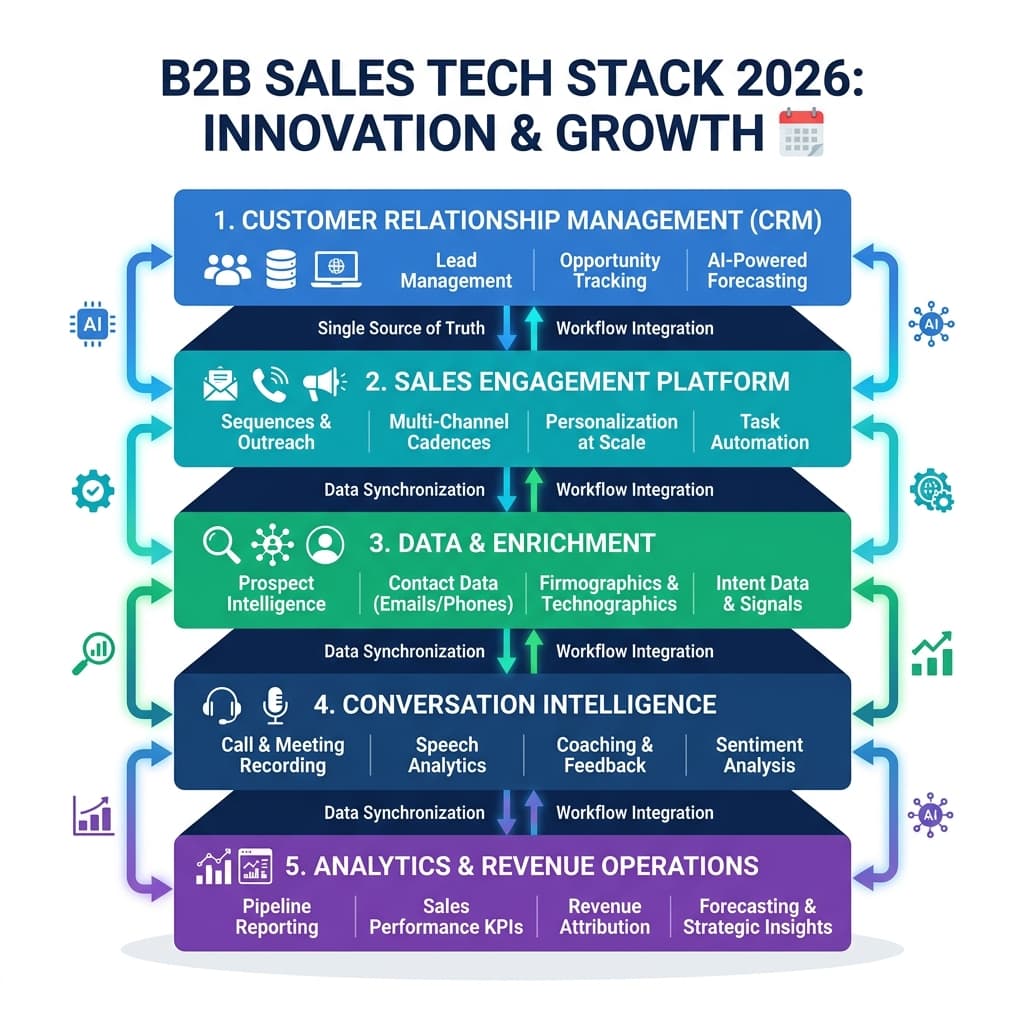
The 5 Core Layers of a Modern B2B Sales Tech Stack
Think in layers instead of individual products. A solid sales tech stack 2026 usually looks like this:
1. CRM for sales teams (foundation)
Examples: HubSpot, Salesforce, Pipedrive. Job: single source of truth for leads, accounts, activities, and deals.
2. Sales engagement tools (outbound engine)
Sequences, templates, inboxes, dialer, SMS/LinkedIn touches. Goal: let reps send multi‑step cadences without manual copying and pasting.
3. Data & enrichment
Lead databases, enrichment APIs, email verification. Goal: keep contacts accurate and targeted so you’re not blasting junk data.
4. Conversation intelligence & call recording
Record calls, transcribe, analyze deals, coach reps.
5. Sales analytics tools & forecasting
Pipeline views, velocity metrics, forecast accuracy, and sometimes commission tracking.
Everything else—proposal tools, commission apps, contract management, attribution, etc.—sits on top of these core layers as part of your broader sales enablement tech stack and can be added when needed.
Minimal Viable Sales Stack for Small Teams: What You Need to Get Started
If you’re a founder or new sales leader trying to build a minimum viable sales stack for small teams, focus on three categories before anything else:
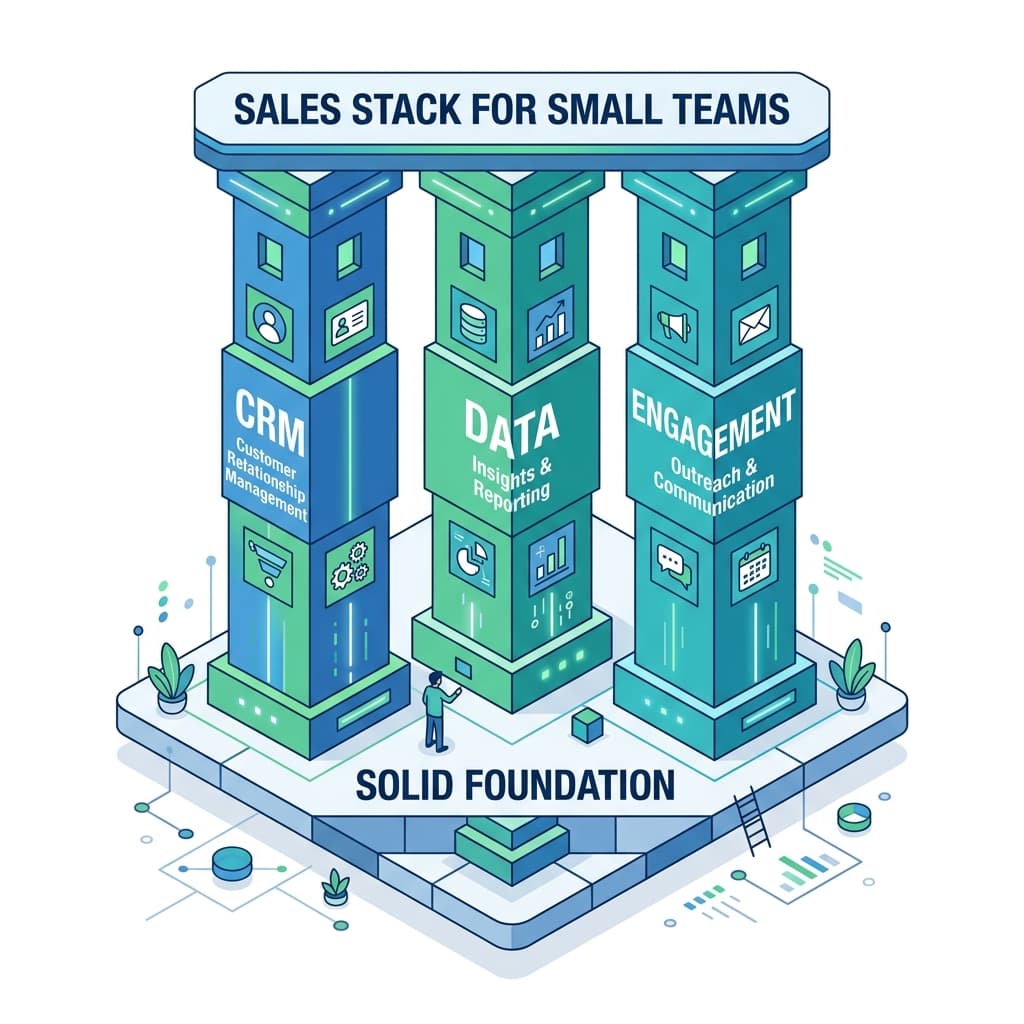
1. CRM (must‑have)
Free or low‑tier plans from modern CRMs are enough for early stages. Criteria: easy to set up, not overkill, simple deal views and basic automation.
2. Prospecting + data
One tool to find and verify leads (not three different databases you barely use).
3. Engagement (email + dialer)
A sales engagement tool with basic sequences plus at least a click‑to‑call or auto dialer for outbound.
With those three in place, you can:
- Build lists.
- Reach out via email and phone at scale.
- Track deals and revenue in one place.
Everything else—call intelligence, ABM tools, multi‑touch attribution—can wait until you have consistent pipeline and a team that will actually use them.
Where to Spend First When Budget Is Tight
If you’re choosing between “more tools” or “better core tools,” prioritize in this order:
1. CRM that people actually use
Adoption matters more than feature depth. A simpler CRM that everyone updates beats a complex one nobody trusts.
2. Engagement + dialer
This is where reps live every day. A good engagement tool or auto dialer can claw back the 60% of time many reps spend on non‑selling tasks.
3. Data quality
One accurate data/enrichment source is better than three cheap, noisy ones.
4. Coaching & call recording (once you have enough live calls)
Tools like conversation intelligence only pay off when you have reps and volume to analyze.
Only after these are delivering value should you consider “nice‑to‑haves” like new ABM tools, contract‑management platforms, or multi‑touch attribution.
Hidden Costs and Gotchas in Sales Software
When budgeting, look beyond list price. Common hidden costs include:
- Implementation & migration – moving data from old systems, cleaning it, and setting up integrations takes time (and sometimes paid services).
- Per‑feature or per‑module pricing – some platforms lock essentials like reporting, API access, or outbound calling behind higher tiers.
- Seat creep – paying for licenses for managers or adjacent teams that don’t truly need full access.
- Overlap – paying for features you already have elsewhere (e.g., buying a dialer when your engagement tool already has one).
Regular audits show many teams are effectively paying for “ghost tools” that see almost no usage but still renew each year.
Integrating the Stack: Making Tools Actually Work Together
The most common complaint in Reddit threads about sales stacks is “nothing talks to each other”. To avoid that:
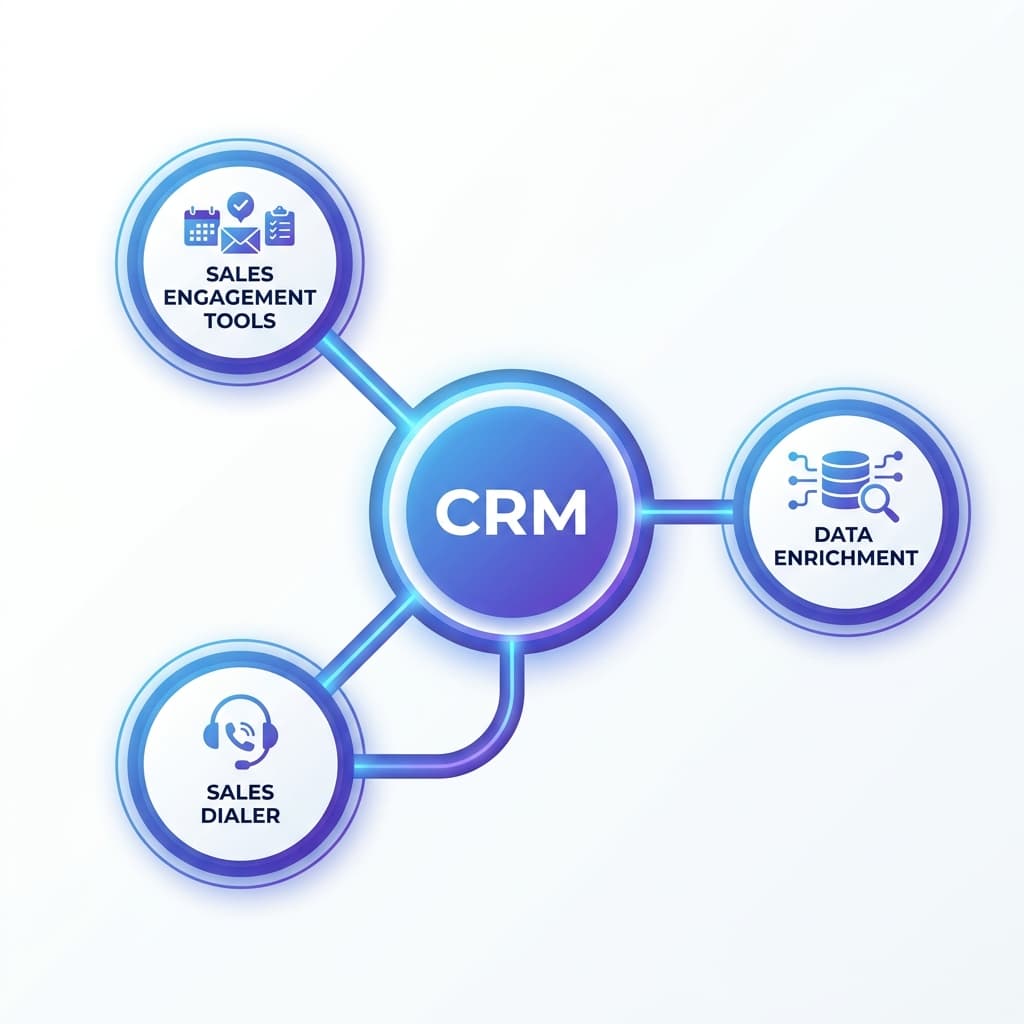
- Pick a CRM as the hub and treat everything else as a spoke.
- Prefer tools with native integrations to your CRM and engagement platform over ones that require complex middleware.
- Use automation sparingly at first (simple “create task on reply”, “move stage on booked meeting”) instead of building a Zapier spider web you can’t maintain.
A good rule: if a tool can’t write and read data cleanly from your CRM, think twice before adding it.
Do You Really Need a Sales Dialer / Auto Dialer?
Many “Do I need a dialer?” questions come from small teams that live in email first. A sales dialer / auto dialer is worth it when:
- Your reps already generate enough leads to make dozens of calls per day.
- You’re serious about cold outbound or follow‑up calls as a channel.
- You want call recordings and analytics to coach people, not just “check the box.”
Modern dialers can be embedded inside your engagement tool or CRM, giving you call logging, recording, and even progressive or predictive dialing without adding another disconnected product.
How to Roll Out a New Sales Stack Without Killing Productivity
Tool changes often fail because leaders underestimate the change‑management piece.
To avoid that:
- Start with the smallest, highest‑impact stack that can work. Don’t launch eight new tools at once.
- Pilot with a small group of reps, fix obvious problems, then roll out wider.
- Provide short, task‑based training: “how to build a sequence”, “how to log a call properly”, not generic vendor webinars.
- Tie every new tool to a visible metric (more meetings, faster lead response) so reps see what’s in it for them.
If your team hates the stack, they won’t use it—no matter how “best‑of‑breed” it looks.
Future‑Proofing: Building a Sales Stack That Scales
To build a stack that won’t trap you in 12 months:
- Choose platforms that can grow tiers with you, instead of niche point solutions you’ll outgrow immediately.
- Favor vendors with strong APIs and integration ecosystems—they give you options later.
- Avoid stacking multiple tools in one layer (three CRMs, four data providers) unless you have a very clear reason and the RevOps capacity to maintain them.
- Audit your stack at least once a year: kill low‑usage tools, consolidate where it makes sense, and re‑deploy budget to what clearly drives revenue.
The trend across mature teams is consolidation, but consolidating around the right platforms (CRM + engagement + intelligence) instead of buying a single bloated tool that does everything poorly.
The Bottom Line
A great sales stack doesn’t look like a Martech landscape poster. It looks like a small set of well‑chosen tools that your team actually uses every day.
If you focus on:
- A CRM everyone trusts,
- A lean engagement + dialer layer that makes outreach easy,
- One solid data source,
- And integrations that keep everything in sync,
you’ll have a stack that supports your reps instead of slowing them down—and leaves budget on the table for more important investments, like hiring great people.
Written by
Jake Morrison
Head of Content, Switchstack
Jake has spent 8 years writing about sales technology, dialer systems, and outbound strategy. Before Switchstack, he led content at a leading sales engagement platform.
Newsletter
Tactics worth your inbox.
Outbound tactics and product updates — only when we have something genuinely worth sharing.